Posts

Showing posts with the label gmail tips

Generate Gmail Address for Free in 2025 – Fast, Easy & Unlimited Method

Gmail Address Generator 📧 Gmail Generator How it works: Gmail ignores dots (.) in the username part of email addresses. Example: john.doe@gmail.com and johndoe@gmail.com both go to the same inbox. Enter Your Gmail Address: Number of Addresses to Generate: 100 500 1000 Generate Addresses 0 addresses generated Copy All

Protect Your Google Account: 5 Essential Tips to Avoid Deletion

Image
Starting December 1st, 2023, Google will delete inactive accounts that haven't been used in two years. But fear not! This video provides 5 crucial steps to safeguard your data and prevent account deletion . Tip 1: Upload a YouTube Video Simply uploading one video to your YouTube channel will keep your Google account active indefinitely. Tip 2: Set Up Google Alerts Create Google Alerts for keywords you're interested in. This ensures your Gmail receives emails at least once a month, demonstrating account activity. Tip 3: Sign Up for New Accounts Connect your Gmail account to other services like WordPress to keep it active even if you don't use Gmail itself regularly. Tip 4: Use Google Services Daily Regularly using services like Gmail, Drive, YouTube, Search, and Photos will keep your account active and prevent deletion. Tip 5: Subscribe to VietTube By subscribing to the VietTube channel, you'll stay updated on the latest tips and tricks for online security and account ...

Efficient Email Management: How to Mark Gmail, Exchange, and Outlook Emails📧as Read

Image
Efficient Email Management: How to Mark Gmail, Exchange, and Outlook Emails📧as Read Discover time-saving techniques to efficiently manage your Gmail, Exchange, and Outlook emails. In this guide, we'll show you how to effortlessly select and mark emails as read, boosting your email productivity.  Select and Mark As Read all Gmail Emails at once Method 1: In the Search bar, click the Filter icon. In the Search field, select Unread Mail and click Search. Method 2: In the Search bar, type "is:unread" and press Enter to search all Unread Gmail Emails. Finally, click the Select Box ✔️, then All. To Mark as Read, click the Mark as Read icon ✉️. Select and Mark as Read all Exchange, Outlook Emails at once Click "Unread" to view all unread emails. Manual select emails: Click the 1st email, then hold the Ctrl key and select each email you want to mark as read, delete, or move. Select all emails: Click the 1st email, then hold the Ctrl key and select the last email to mar...

Mastering Email Management: How to Efficiently Mark All Gmail, Exchange, and Outlook Emails as Read ✔️

Image
Maximizing Productivity: How to Manage Your Email Inbox Effectively In the fast-paced digital world, email management is crucial for productivity. This blog post will guide you through efficient ways to handle your Gmail, Exchange, and Outlook emails. Marking Emails as Read in Gmail Method 1: Using Gmail's Filter Option Open Gmail and locate the search bar. Click on the Filter icon. In the search field, select "Unread Mail." Click the "Search" button. Method 2: Using Gmail's Search Command Open Gmail. In the search bar, type "is:unread" and press Enter to search for all unread Gmail emails. Final, to mark all selected emails as read, simply click the "Select Box" (✔️) at the top of your inbox to select all of them. Next, click on the " Mark as Read " icon (✉️) to instantly mark them as read. Selecting and Marking as Read: Viewing and Managing Unread Emails in  Outlook, Exchange Start by clicking on the "Unread" filte...

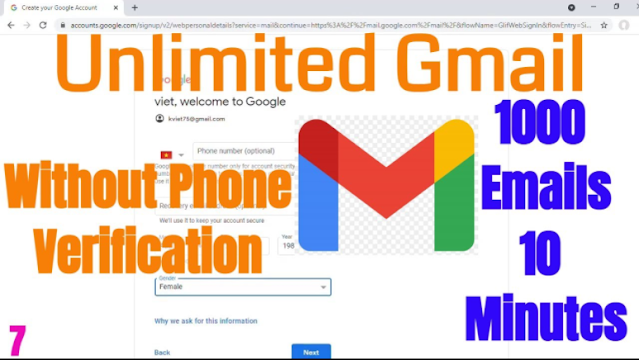
Create Unlimited Gmail Without Phone Verification-Working 2025

Image
  Create Unlimited Gmail Without Phone Verification-Working 2025; How to create 1000 Gmails in 10 Minutes ? 2 newest way to bulk create Gmail 100% working 2025; Don’t forget to click the link in the Description to enter our newest giveaway ► https://bit.ly/viet-tube ☑️ 00:00 Problem-You must verify phone number when create Gmail. 00:17 Way 1-Use "Google Chrome Portable". You can connect to https://portableapps.com/ then search OR, search on Google. Note: - After installed Google Chrome Portable, remember the folder that you extracted. On this Video, i suggest extract it to E (or D) drive. - May be you should delete all old cookies before run Google Chrome Portable: From Address bar, type this code: chrome://settings/clearBrowserData then Delete all. 02:09 Bonus-Keep your Gmail account working. Tip: Add some Alerts on Google Alerts. 02:33 Way 2-Sign up via YouTube. √ What did you think of this video? #GmailWithoutPhone #UnlimitedGmail #VietNguyenHoangAds #Gmail...